Read era review
About the author

Rashmi
Reader , writer ,dreamer
Hey , guys I am Rashmi a youtuber and a student and welcome back to the second episode of 🚀 Tools to improve .
Tools to improve series talks about various tools out there which helps us to make our life better and more productive .
And today we are gonna look at one of my favorite apps Read era .
So let’s get started 🛫
Read era
One my favorite reader apps
What in this world is Read era ? 🤷♂️
Read era is a PDF, epub, mobi , reader . Which is really amazing. It is available on playstore and app store as well . It makes the reading experience on the phone much more fun and almost like a Kindle.
So how do this Read era thing works ?
It is a PDF reader with a lot of awesome features that we will see next.
Now let’s focus on its functions :
All the pdf and pub or mobi files that you have in your storage is displayed here you can select the novel you are reading and it will show you that novel in the reading now section, you can customise the epub and PDF according to your liking and then have the reading experience your way .
You can quote and book mark the page or line and can also add your own opinion as a note . Your quote and notes are all stored in a particular tab in there for each file. Then you can add collections of novel like I did. I read 8 books of percy Jackson series and I have sorted them into one folder. Then the name of the author of each book is stored there so that you know which authors you have read .
It got a good to many features so let’s move to next part .
Ok ! What is amazing about it?
There are a ton of amazing features in this app which I talked about and a ton more which I would like to explain :
- First it able to read files of all format from pdf, epubs , mobi ,word ,doc ,txt ,doc ,AZW and all other formats available in this world . So you don’t have to download 10 apps this one would be enough.
- second the most amazing thing which I thought was the feature which tells the time it would take to read this book
- Then come the amazing feature of library view . I am currently using Read – era premium and in this comes the amazing library view where you can view all you pdf or any files pages in one place and could directly jump to the page . I use it mostly for jumping through the notes pdf that I get .
- Fourth will the children mode which is especially designed for kids , taking care of there eyes . The cool thing here is that if you wanna switch out of kids mode you need to solve a maths problem.
- Then there are themes , day ,night ,sepia ( my favorite). Night contrast ,sepia contrast and all.
- Next feature you are gonna comment me . So go and download the app and do tell me which feature is your favorite.
How is this any better than my regular PDF reader ?
So After mentioning entire bible over there I think you know why it’s better than any other pdf readers
Is it free ?
Yes it is . Read era is absolutely free and there isn’t much difference between read -era and read -era premium. I think go with read – era it’s the best
What I like about it ? If you care
I like every feature in this app it’s vey simple and easy to use . Every single book that I read in these six months has been read on this very app .
Conclusion:
In conclusion this app is just so awesome. You have to try it . Or it would be a loss of a very good tool .
Link of the app : https://play.google.com/store/apps/details?id=org.readera
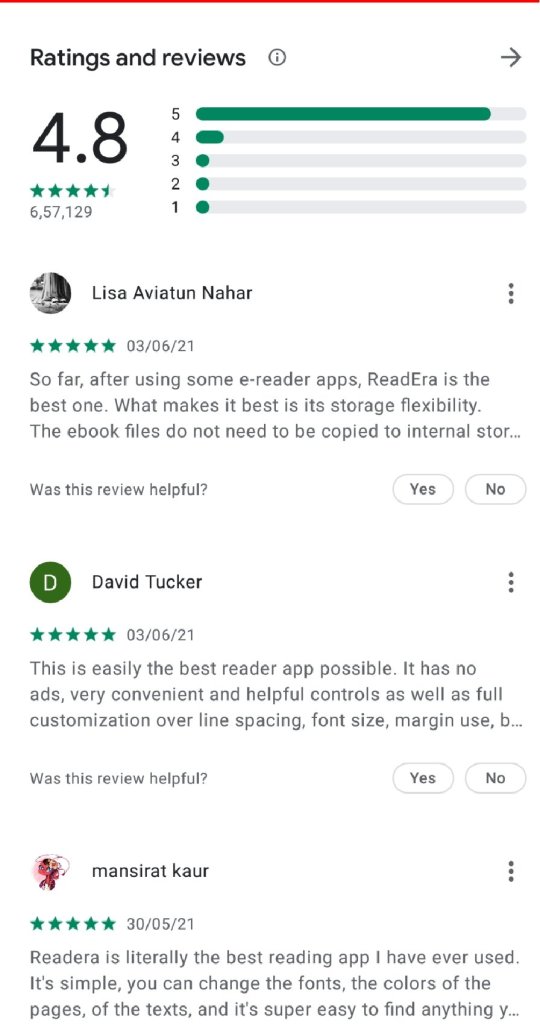
Review
Bye guys
Hope you liked the suggestion and review.
Make sure to subscribe to the blog cause I post twice a week

And make sure to check out episode three of tools to improve. Cause that one is better than this .

Make sure to subscribe my channel:  https://www.youtube.com/channel/UCYwFdOLe1OGe8ycrBsDmBqw


And link to the app : https://play.google.com/store/apps/details?id=org.readera
Byeeee
 Lets read and relate